


Package Multiple Applications into a Single MSIX
When a product consists of multiple applications built with different technologies, you may want to deploy all components as a single versioned package.
For example, consider a Windows platform composed of:
- an ElectronJS application
- a WPF application
- a Python application
Although each application is developed and built independently, they are part of the same product and must be deployed together using compatible versions.
Build each application using its native toolchain
Advanced Installer does not require all applications to be developed using the same IDE or framework. Each application can continue using its existing build process.
For example:
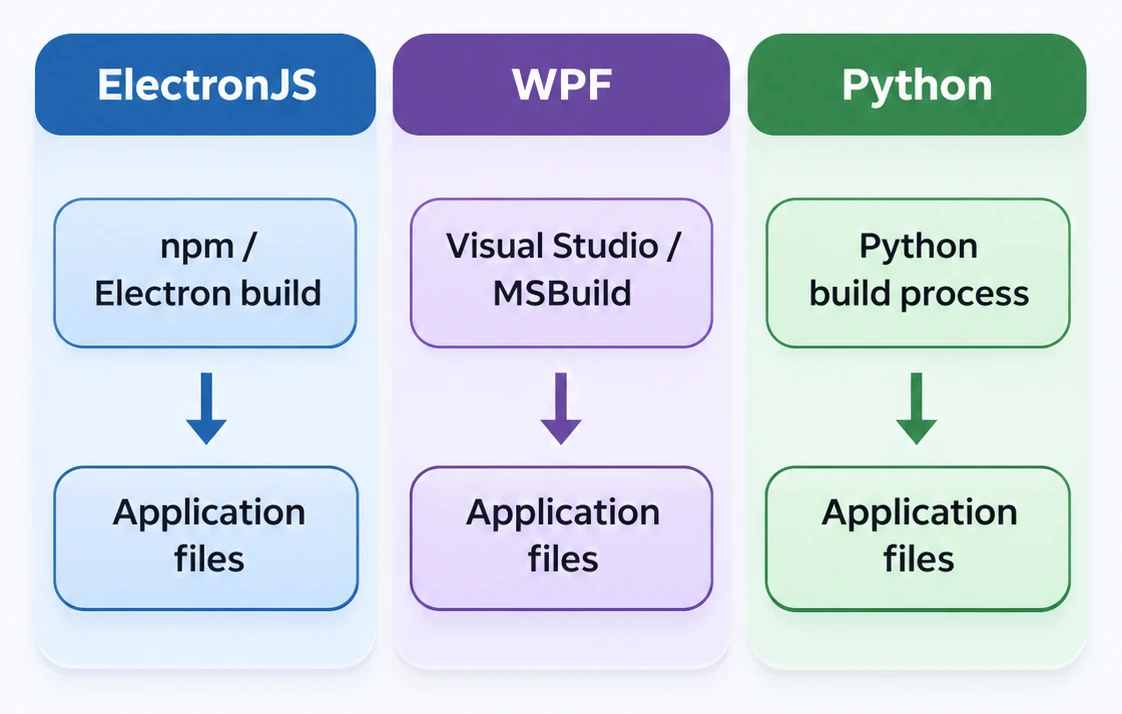
The resulting binaries are then consumed by the Advanced Installer project.
Why use Advanced Installer instead of Visual Studio?
Visual Studio provides native MSIX packaging support and is a good choice when the application and packaging project are part of the same Visual Studio development solution.
Microsoft's Windows Application Packaging Project can package WPF, Windows Forms, Win32 and multiple desktop applications. Therefore, the difference is not simply whether the tool can create an MSIX package. The difference becomes more relevant when the applications are developed using different technologies and build environments.
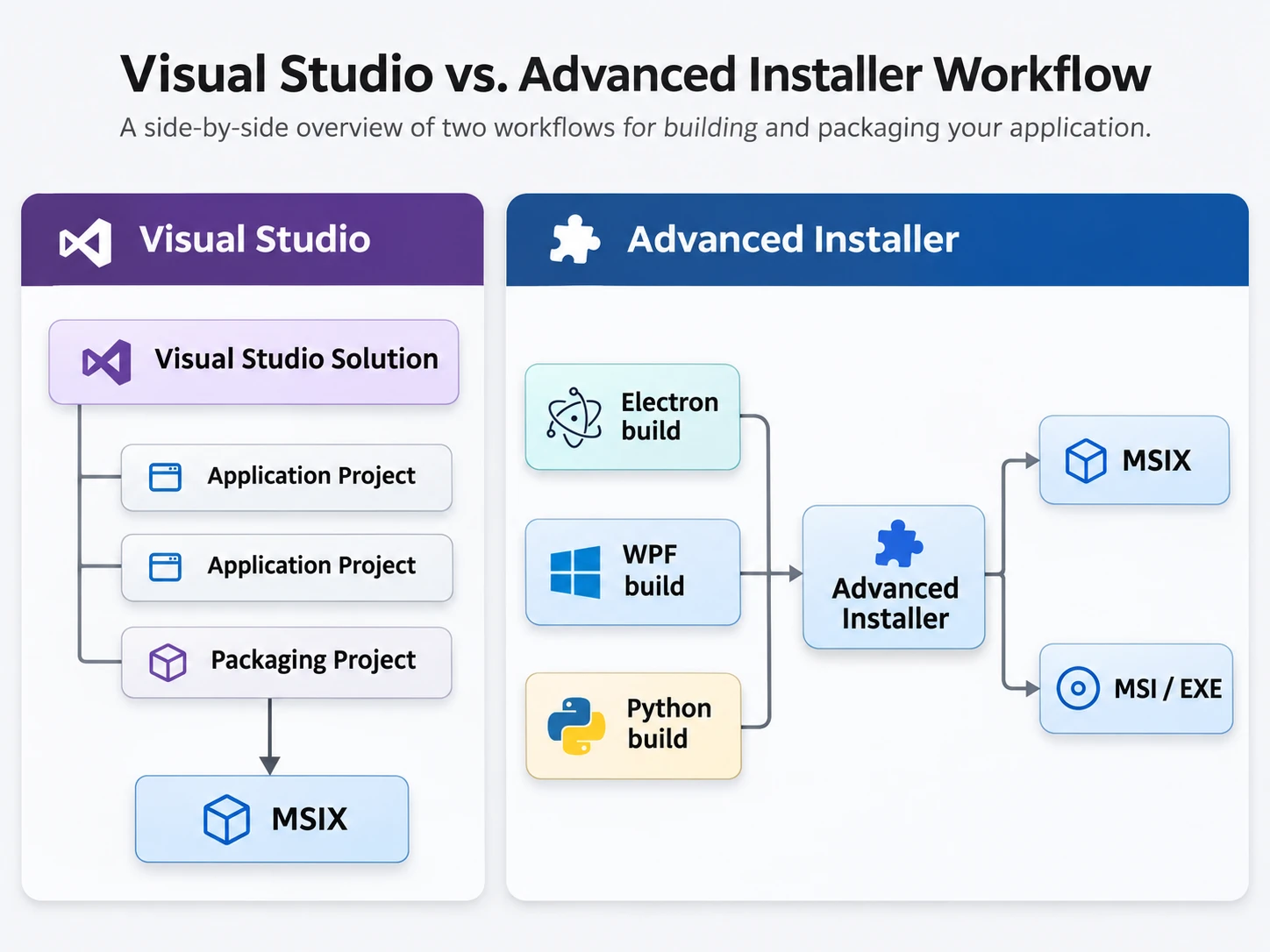
Therefore, the difference is not simply whether the tool can create an MSIX package. The difference becomes more relevant when the applications are developed using different technologies and build environments.
When you also need an MSI or EXE installer
MSIX is designed around a controlled package model and has restrictions compared with traditional installers. For example, some installation scenarios involving drivers or certain system-level modifications are not supported directly by MSIX. Microsoft specifically notes that Windows drivers cannot be installed from an MSIX package.
A product may also require prerequisites such as:
- .NET Runtime
- Visual C++ Runtime
- Database engine
- Windows features
- Other third-party dependencies
For these scenarios, you may need a traditional MSI or EXE installer. Advanced Installer allows the deployment strategy to extend beyond MSIX:
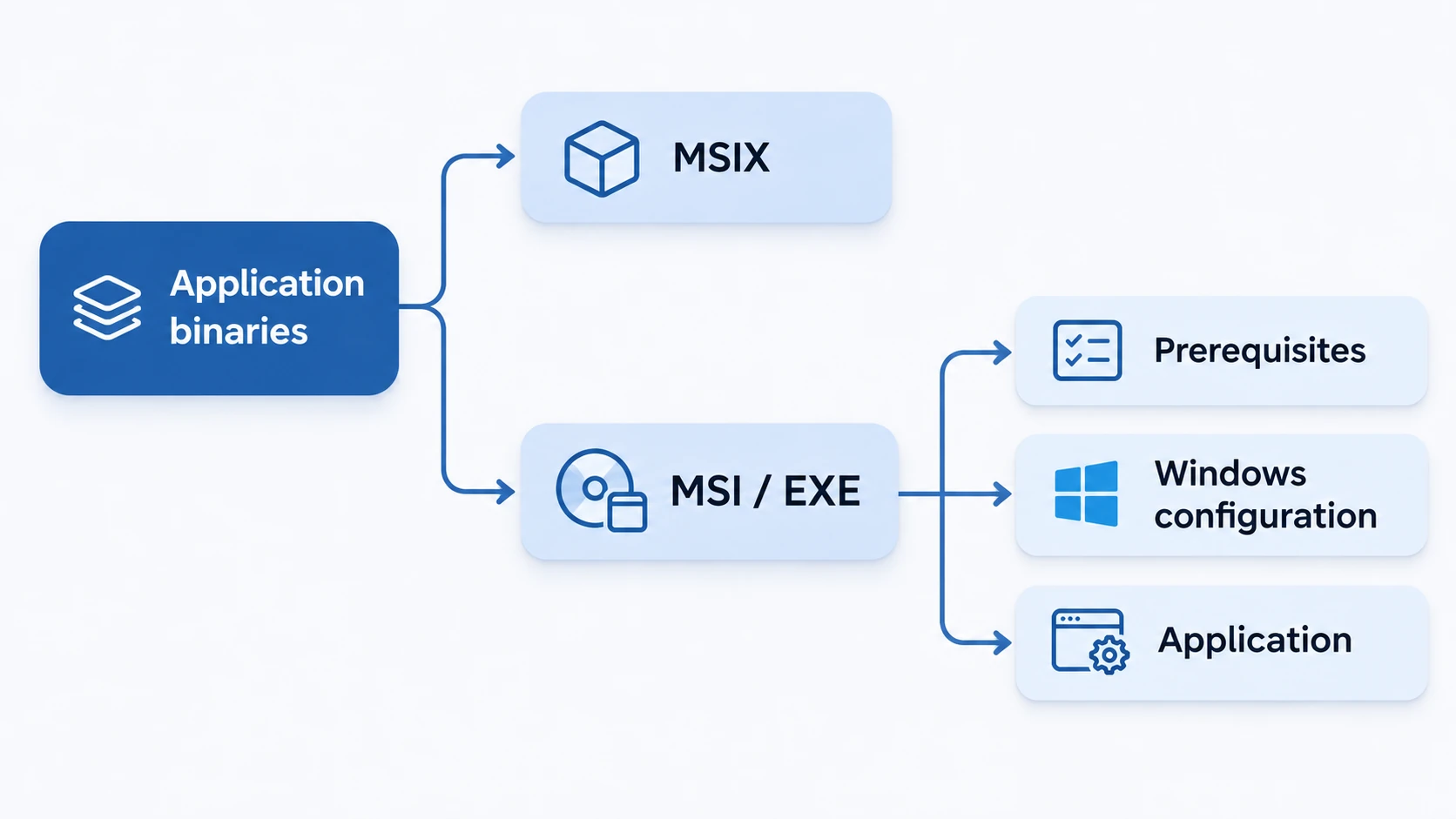
An Electron application, a WPF application and a Python application can be built using their native toolchains and then assembled into one versioned MSIX package with Advanced Installer. This lets each development team continue using the tools appropriate for its application while the packaging project defines the final deployment: